
Upgrade your video or channel in a few seconds.
Paste your YouTube video or channel link to see it transform with high-CTR thumbnails, spoken-audio SEO and bold viral hooks.
Free to try: connect your channel and get 10 credits, enough for a full video makeover. No card required.

How it works
From link to live in three steps.
No software, no agency. Connect once, paste a link, and choose how the result reaches your channel.
Paste any link
Connect your channel with Google. That earns your 10 free credits and confirms a video is yours before any credit is spent. Then paste a video, Shorts link or channel handle.
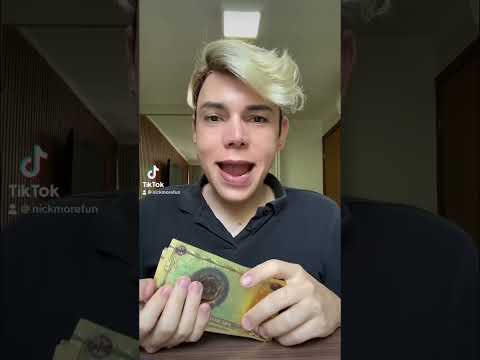
“…the ultimate secret to traveling the world and buying coffee in Paris…”
It listens first
Generic tools guess. This reads the words actually spoken in your captions, builds on your published thumbnail and writes high-contrast hooks that match what you say.
Download or push live
Download the thumbnail plus a copy-ready title, description and tags, or push it all to your channel in one click. Your originals are saved first, so you can roll back for 30 days.
Before and after
Same creator. A reason to click.
Real makeovers from the site: one video's thumbnail, title and description, and a whole channel's branding.

(No description provided)

Welcome to Episode 1 of the Wasteland series! In this kickoff video, we dive headfirst into post-apocalyptic survival rations by testing the…


Features
Everything your packaging needs.
Thumbnails, titles and SEO for single videos, whole-channel makeovers, and batches when you want to fix a back catalogue.
Spoken-audio SEO
Titles, descriptions and tags built from what the video actually says, not a guess from the old title.
High-CTR thumbnails
Built on your own thumbnail with bold, high-contrast typography, ready to download at 1280×720.
Channel Makeover
An AI channel banner, About page, keywords and a rewritten description. Undo the whole makeover in one click.
Batch Mode
Update titles, descriptions, tags and thumbnails across your channel in one go. Pick exactly which videos.
1-click rollback
Your original title, description, tags and thumbnail are backed up before anything goes live. Restore them for 30 days.
Shorts and long-form
On Shorts it updates the title, description and tags, because YouTube doesn't let apps change a Short's thumbnail.
Pricing
Start free. Upgrade when it pays off.
Free Trial
Starter Gift- 1 Full Video Makeover (10 CR)
- 1280×720 AI Thumbnail
- AI Title, Description & Tags
- 1-Click Direct YouTube Sync
Starter
2X MONTH 1- 60 Video Makeovers in Month 1
- Or 20 Full Channel Makeovers
- Spoken-Audio Transcript AI
- 30-Day 1-Click Snapshot Rollback
Pro Studio
2X MONTH 1- 160 Video Makeovers in Month 1
- Batch Mode (Up to 10 Videos)
- Full Channel Makeovers (30 CR)
- 27% Lower Cost per Makeover
Ultra Agency
2X MONTH 1- 400 Video Makeovers in Month 1
- Mega Batch (Up to 50 Videos)
- 40% Lower Cost per Makeover
- Priority Support
Need an Instant Credit Refill Without a Subscription?
Grab a one-time 200-Credit Top-Up Pack: 20 video makeovers, no subscription needed.
FAQ
Your channel stays yours.
Sign-in runs on Google's own servers, every change is reversible, and you can disconnect any time.
Still have a question?
Ask our support assistant. It only answers from our real FAQ and policies.
Is my channel safe?
Yes. Sign-in happens entirely on Google's own OAuth 2.0 servers, so we never see, store or transmit your Google password. When you connect a channel we store the access token Google issues us, and nothing else, so we can read your videos and update the ones you pick. You can revoke it any time from the app or your Google Account permissions page. Full details are in our Privacy Policy.
Do I have to connect my account?
You can try it signed out: paste any link and we write the title, description and tags for you to copy. A thumbnail makeover needs a connected channel, because the thumbnail belongs to whoever owns the video, so we only touch yours.
How do credits and subscriptions work?
Connecting your YouTube channel earns 10 free credits. A video makeover costs 10 credits, and a full channel makeover costs 30 credits (requires a Starter subscription or higher). Every new subscriber gets a 2x First-Month Sign-Up Bonus: Starter ($15/mo) includes 300 credits/month (600 in month 1), Pro ($29/mo) includes 800 credits/month (1,600 in month 1) plus batch mode for up to 10 videos at once, and Ultra ($59/mo) includes 2,000 credits/month (4,000 in month 1) plus batch mode for up to 50 videos at once. You can also buy one-time 200-credit packs for $12 without subscribing.
How does 1-click rollback work?
Whenever you push changes live, the app saves a full backup of your original title, description, tags and thumbnail, so you can put them back with a single click for 30 days.
Why can't I change the thumbnail on my Shorts?
This isn't a bug — YouTube's platform simply doesn't support changing Shorts thumbnails via any app, including this one. Attempting it can glitch or hide the video, so we deliberately leave Shorts thumbnails completely untouched. Titles, descriptions, and tags still update normally for Shorts.
Can you change my channel's profile picture?
No, and neither can any other app. YouTube's API has no way to set a channel's profile photo — only your Google Account settings can, manually. So we leave your photo exactly as it is, and change the banner, About page and keywords instead.
I pushed a new banner live, but it still looks old on YouTube.
YouTube can take anywhere from a few minutes up to about an hour to visibly refresh a banner across its servers, even though the update succeeded on our end. Check back shortly, or view it directly in YouTube Studio.
What's the refund policy?
Unused, one-time credit packs are refundable within 7 days of purchase. Subscriptions can be cancelled anytime — you keep access through the end of the current billing period, with no future charges, but partial periods aren't refunded. If a generation fails or a credit is spent with nothing produced, contact us and we'll make it right.
How do I disconnect?
Use the Disconnect button in the app, or remove access from your Google Account permissions page.
Give your video a better first impression.
Connect your channel for 10 free credits. No card required.